
Documentation > Installation Guide
Installation Guide
Follow the steps below to install the AiX platform using the provided installation packages.
Overview
The AiX platform is installed using separate component installers.
Each component is provided as an executable file with the following naming format:
ddxaix-[component]-installer vYYYY.X.X.X.exe
Example:
ddxaix-web-installer v2026.1.5.0.exe
Available Components
The platform consists of the following components:
-
ai-worker
-
web
-
ai-engine
-
enterprise-platform-setting
-
ai-server
-
app-server
-
postgresql
-
console-server
Installation Steps
Step 1: Prepare Installation Files
Ensure all required installer files are available.
Step 2: Install Components
Run each installer according to your deployment needs.
Typical recommended order:
-
postgresql*
-
ai-server
-
ai-engine
-
ai-worker
-
app-server
-
web
-
console-server
*PostgreSQL Installation Note
This includes two types of installers:
-
postgresql-installer → for first-time installation
-
postgresql-update → for upgrading an existing installation
If PostgreSQL is already installed, use postgresql-update instead of reinstalling with postgresql-installer.
Step 3: Install Enterprise Platform Setting
Install enterprise-platform-setting at last.
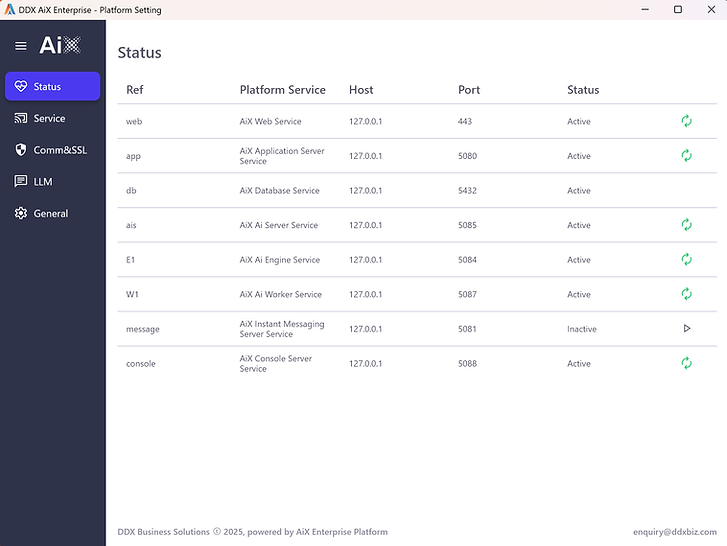
This component is used for:
-
Platform configuration (host, SSL etc.)
-
Services management (start, stop and status monitoring)
After Installation
Once all components are installed:
-
Open Enterprise Platform Setting
-
Configure the system settings
-
Start all required services
Next Step
Proceed to the next guide: License Activation